
Why wait for one file when you can encode 10?
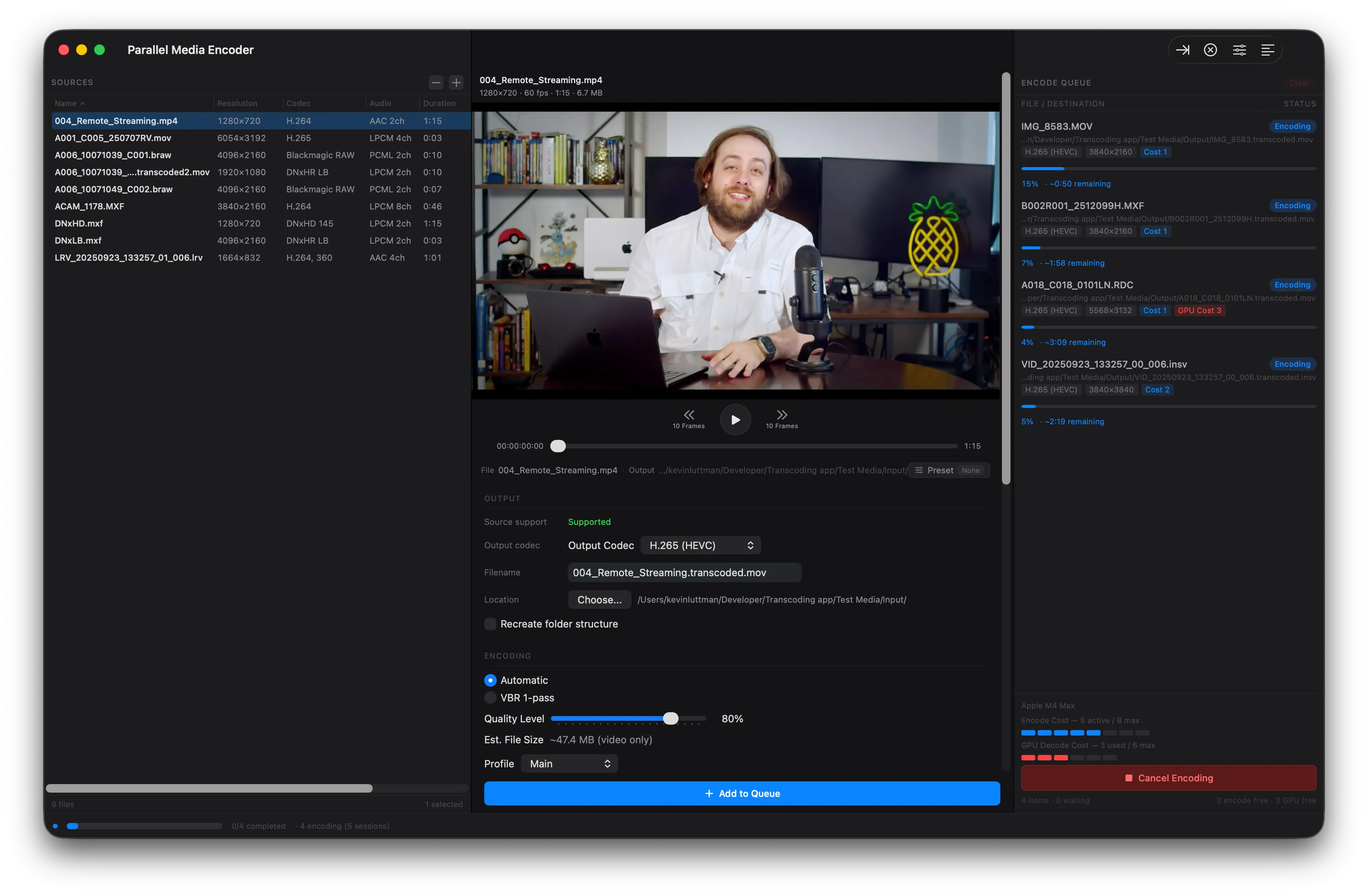
Your Apple Silicon Mac has dedicated hardware media engines. Parallel Media Encoder is the only transcoder that uses them all — simultaneously.
The problem with traditional transcoders
Every other transcoder on macOS processes files one at a time. Even on a machine with multiple hardware media engines, they sit idle — wasting the silicon you paid for.
Traditional (Sequential)
SlowEach file waits for the previous one to finish
Parallel Media Encoder
FastAll 10 files encode at the same time
Hardware-aware scheduling
Parallel Media Encoder reads your Apple Silicon chip configuration and automatically sets the optimal concurrency level. No tuning required.
Detect
Identifies your chip model and media engine count at launch
Configure
Sets the maximum concurrent encodes for your hardware
Encode
Runs files in parallel, managing the queue automatically
Real-world impact
Consider a typical post-production scenario: you have 50 ProRes files from a shoot that need to be transcoded to H.265 for delivery.
HandBrake
50 sequential encodes
Each file waits for the previous one. Your hardware media engines process one stream at a time.
Parallel Media Encoder (M3 Ultra)
10 files at a time
5 batches instead of 50 individual waits. All hardware media engines running at capacity.
Actual speed improvements depend on file size, codec, and hardware. Parallel encoding maximizes hardware utilization — results vary by workload.
Parallel encoding comparison
| PME | HandBrake | EditReady | |
|---|---|---|---|
| Parallel encoding | Yes | No | Yes |
| Max simultaneous encodes | Up to 10 | 1 | 2 |
| Hardware-aware scheduling | Yes | No | No |
| Chip tier detection | Yes | No | No |
| Queue management | Automatic | Manual | Manual |
Start encoding in parallel
Download Parallel Media Encoder free. Unlock parallel encoding for $39.
Download FreeRequires macOS 14.5 or later. Apple Silicon required.